

Here’s Your Free Bug Flashcards
All activities require adult supervision. By using this site, you agree to our terms of use. This post may contain affiliate links, sponsored links, and ads. As an Amazon Associate and participant in other affiliate programs, I earn from qualifying purchases.. Read our disclosure policy.
Woohoo, you’ve made it to the download page! All you need to do is scroll down and click on the blue “download now” button.
When you click the button, it’ll open the PDF file in a new browser window. You can print it from there or download it to your computer to save for later.
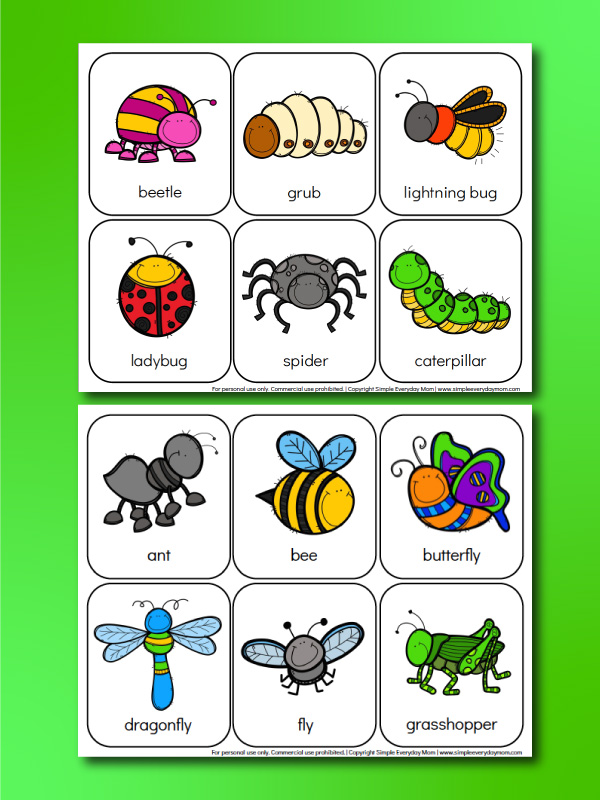
Grab the entire set below or click the download button for the freebie!
To see the entire blog post, go here: Preschool Bug Activities


Meet Sam
Sam is the crafter and founder of Simple Everyday Mom. She has been featured in Oprah Mag, Good Housekeeping, The Spruce Crafts, Country Living, The Bump, and more.





Love the site keep it up
Thank you so much! Really means a lot!
Something went wrong…I only got two flash cards pages. Where’s the rest of the bundle??
Hi! This is a sample from the printable pack that you can get in the shop here: https://shop.simpleeverydaymom.com/products/insect-worksheets-for-kids
Sorry, I just got some advertisements.
love these
Thanks, Barb!
These are going to be so helpful on many levels. Thank you.
Oh, great!!
I want to do this theme with my 2 grandchildren
Oh, good! I hope they like them!
These will make a fun MEMORY game!
So glad to hear that!
Thanks ma’am
Yep 🙂
Hi!
Your work is awesome but there is a little mistake, the spider is not an insect…
Ooofff! You’re right. Whoops ?
The same thing happens to me, the images come out with a black background. Tnks for the material anyway 🙂
Usually, this happens when you’re opening it from a browser window and not your computer. Try these steps instead:
1. Download the file to your computer
2. Open in Adobe Reader (not a generic PDF reader)
3. Go to file -> OPen and choose the file
4. Print
the flash cards are not printing correctly some pictures the background prints on black and you can read the name of the animal
Usually, this happens when you’re opening it from a browser window and not your computer. Try these steps instead:
1. Download the file to your computer
2. Open in Adobe Reader (not a generic PDF reader)
3. Go to file -> OPen and choose the file
4. Print